Org Admins can set up custom labels in the Admin Console that help organise and filter the workspace list.
Where to find them
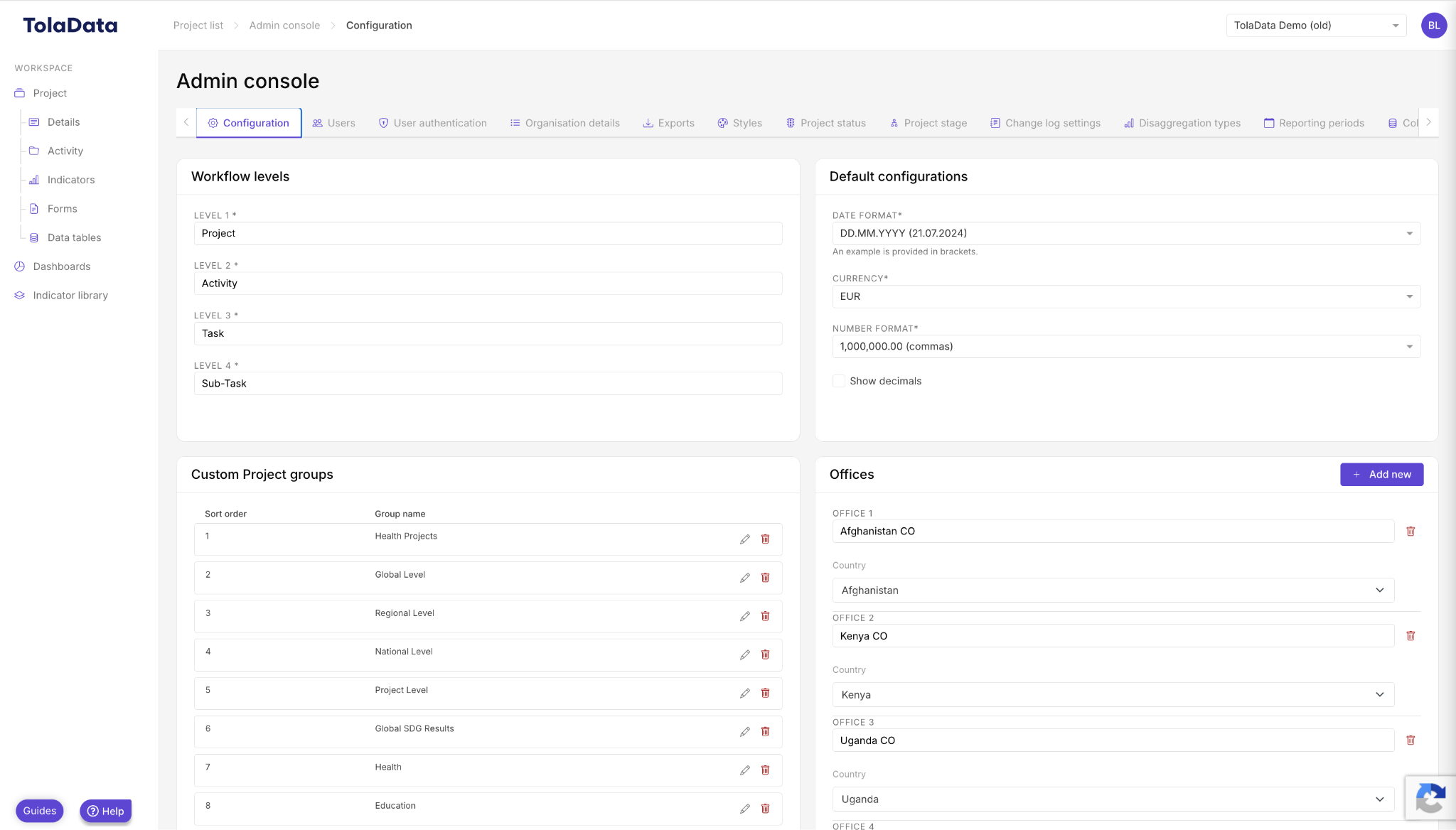
Go to the Admin Console and open the Configuration tab.
Options
| Setting | What it does |
|---|---|
| Custom workspace groups | Organise workspaces into groups, making the platform easier to navigate. |
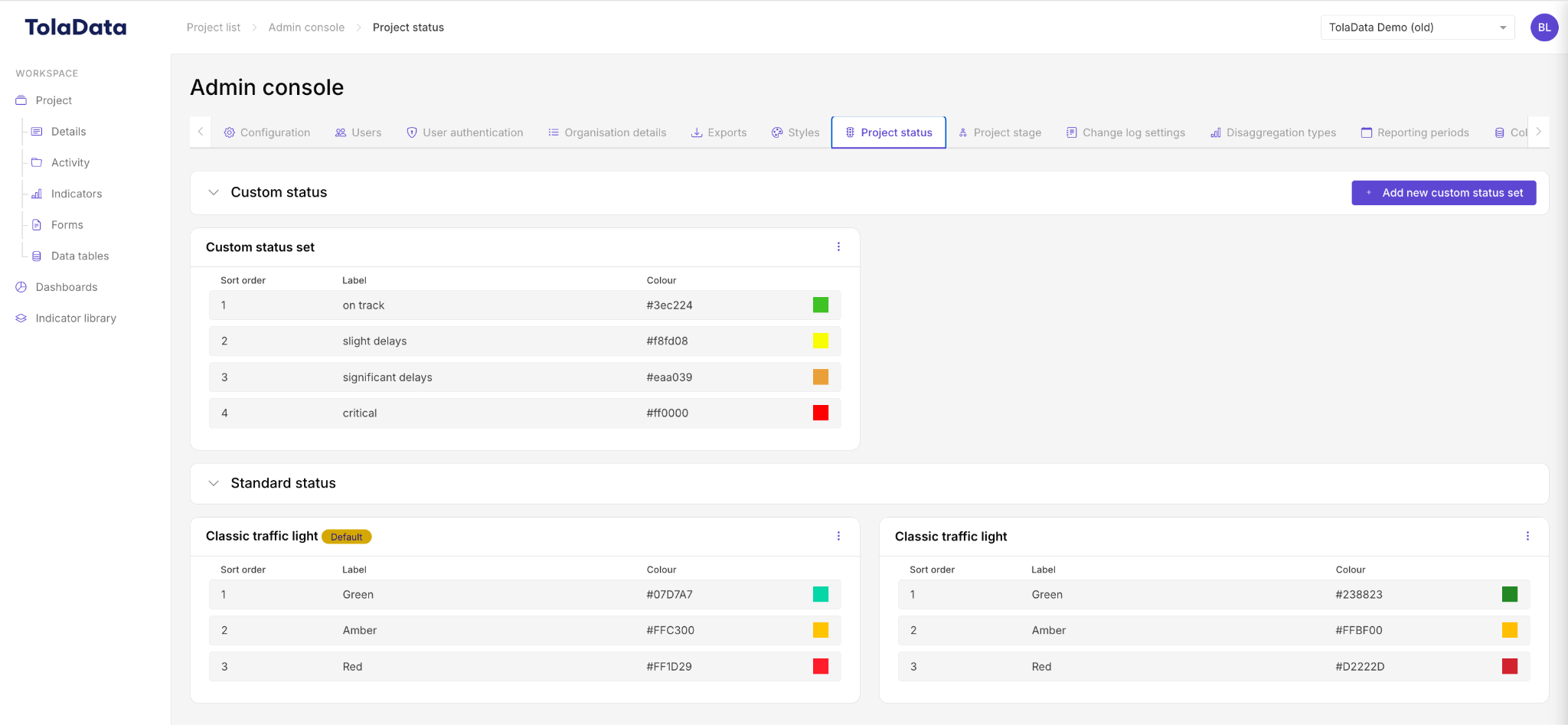
| Workspace status | Create custom status options, beyond the standard traffic-light options, to organise workspaces. |
| Workspace stage | Create custom stages to label workspaces. The IATI standard stages are available as standard. |
Filtering the workspace list
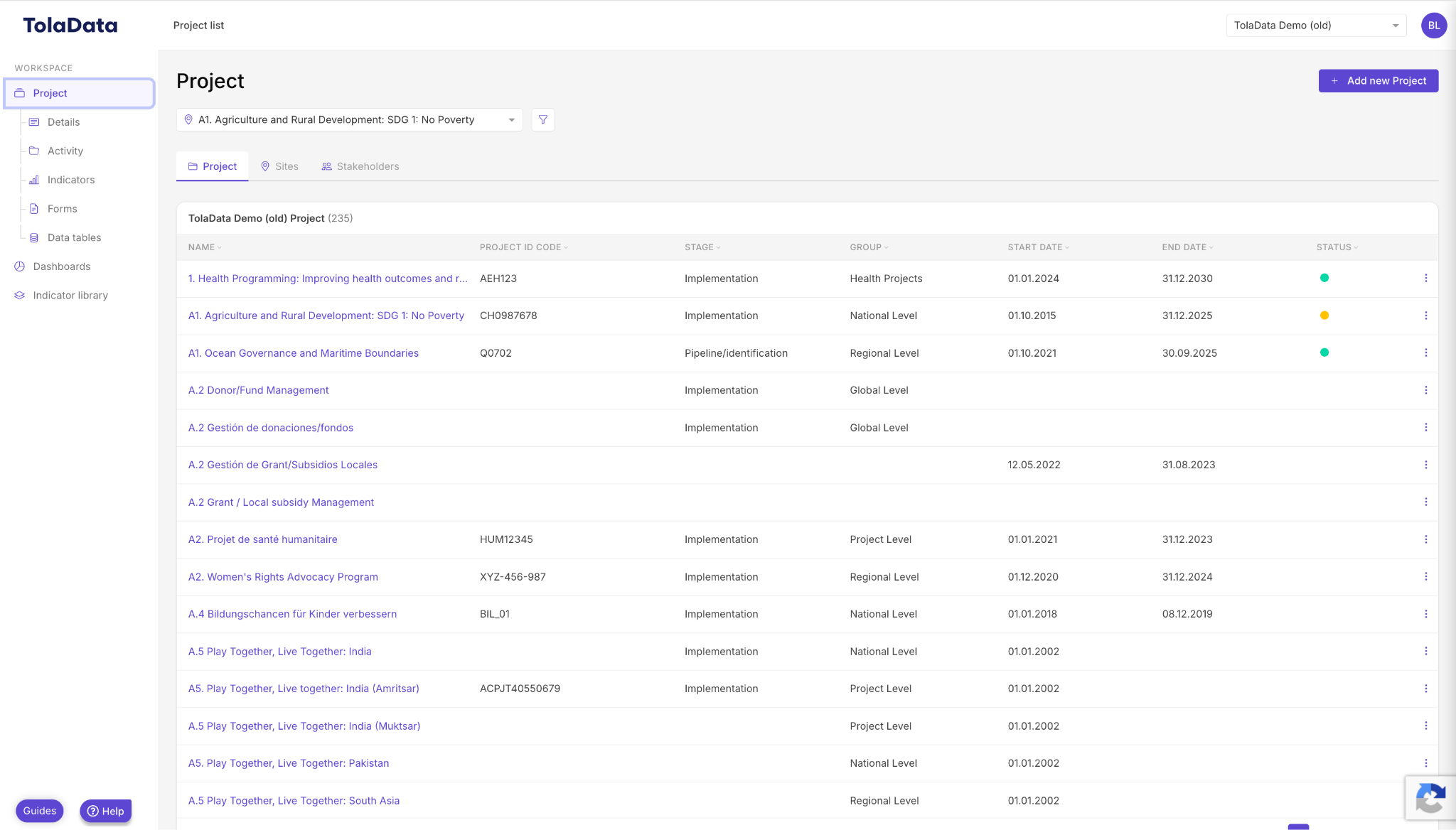
Once groups, stages and statuses are added to workspaces, they appear in the workspace list view. You can filter the list by these criteria for fast navigation.
Related: Admin Console Settings