Knowledge Base

⌘K
  1. Home
  2. Docs
  3. Knowledge Base
  4. The Indicator Section
  5. Quantitative Indicators

Quantitative Indicators

In TolaData, you can track two types of quantitative indicators – numeric and percentage.
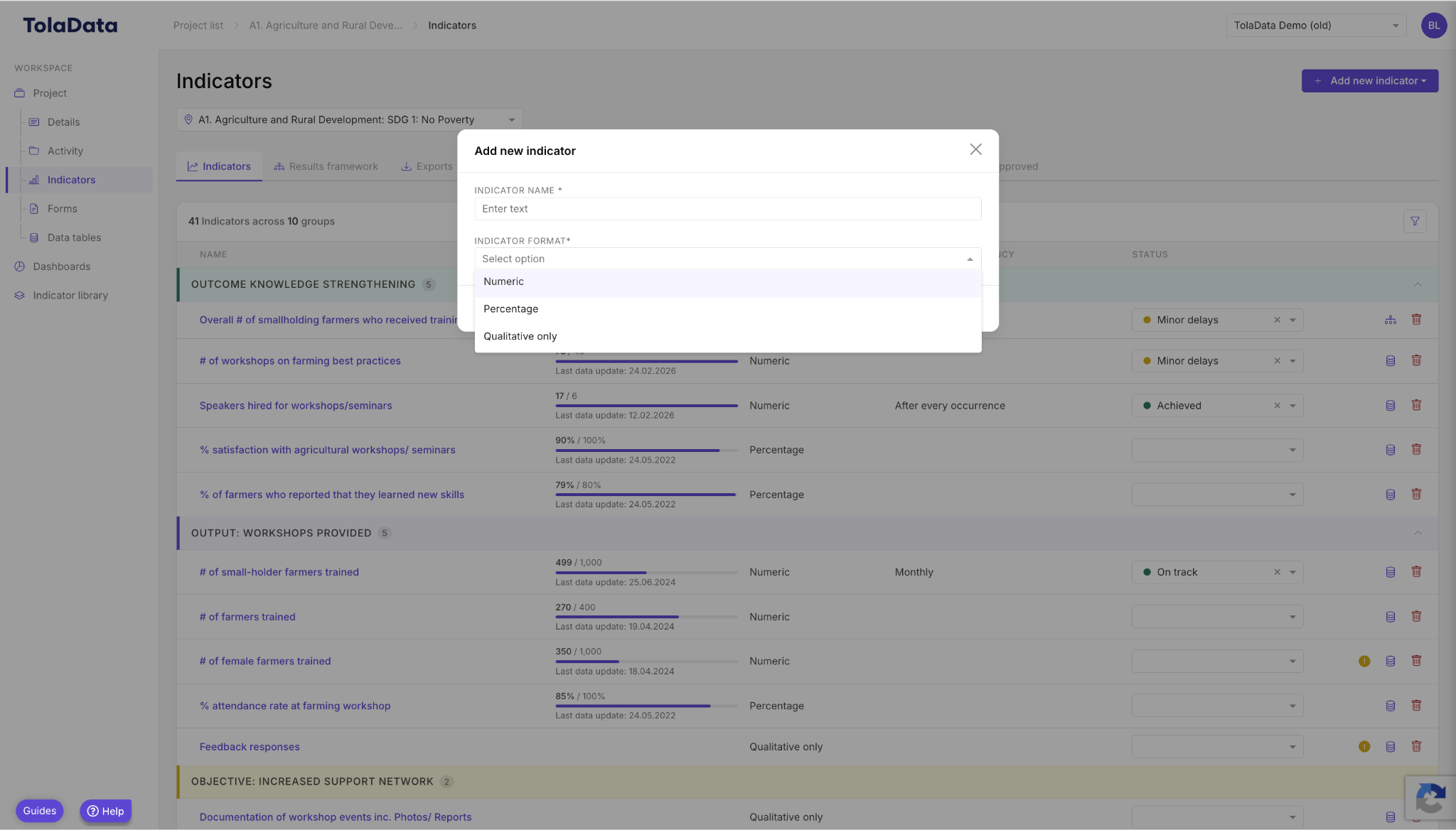
Indicator format options
Choose numeric, percentage or qualitative only

Use numeric indicators when you have to track results in numerical values, like – number of beneficiaries trained, average income etc.
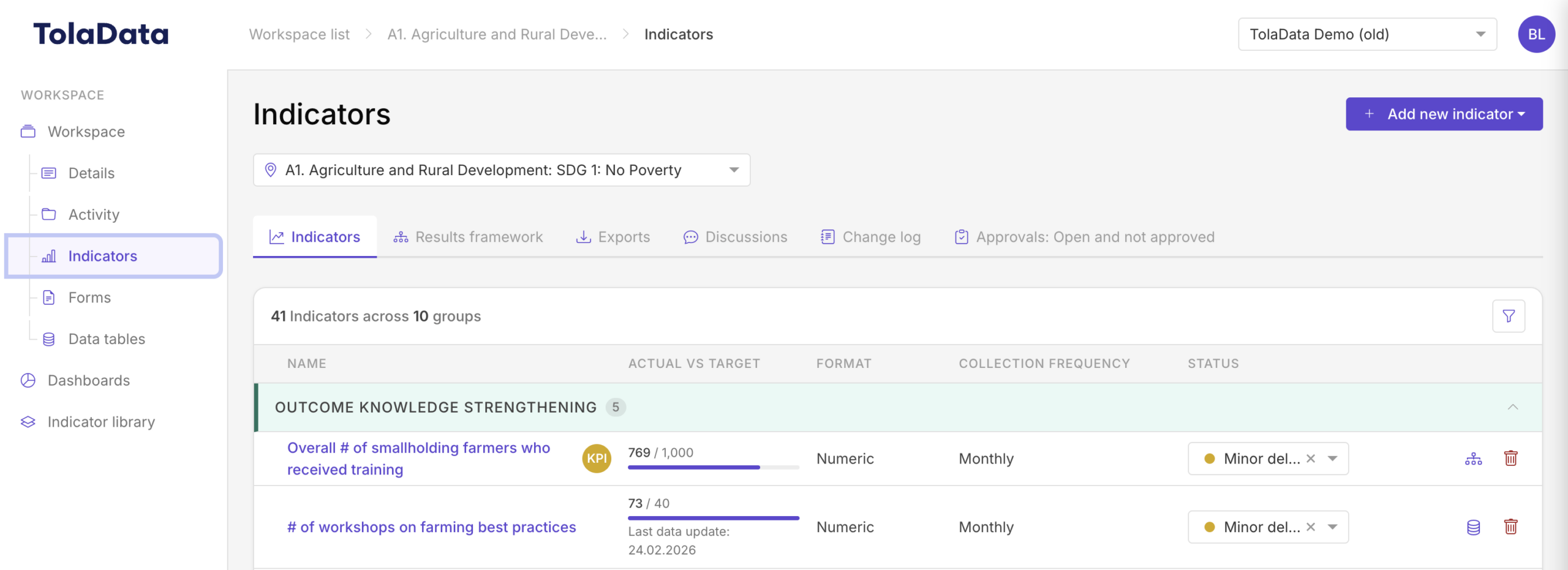
Screenshot – Quantitative Indicators: Choose numeric, percentage or qualitative only Use numeric indicators when you have to track results in…

Calculate total results for numeric indicators as a sum, average or median of your collected data to date or as the last collected result.
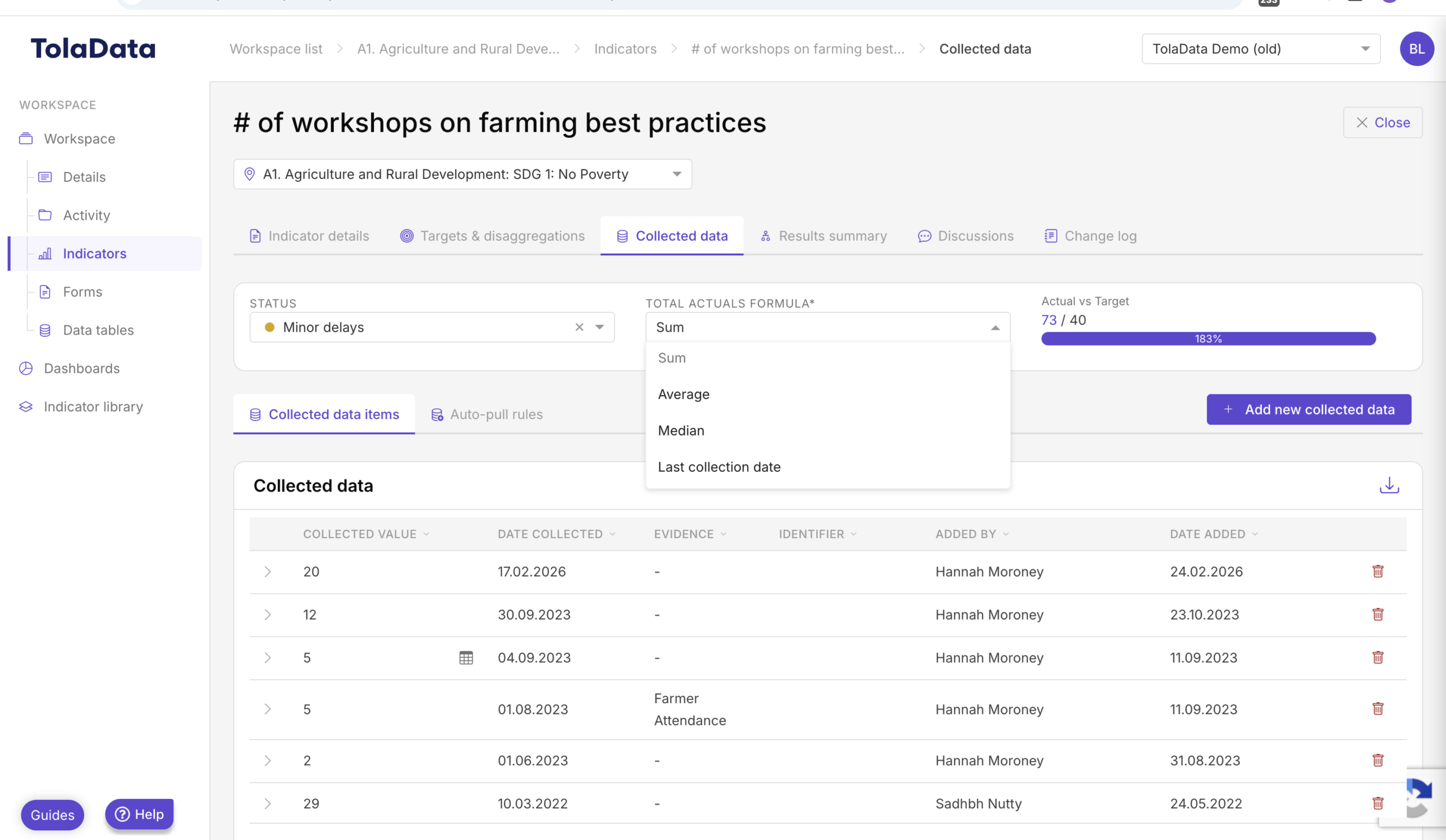
Screenshot – Quantitative Indicators: Calculate total results for numeric indicators as a sum, average or median of your collected data to date…

Use percentage indicators when you have to track results in percentage format, like – percentage of beneficiaries trained, percentage of beneficiaries who passed the exam etc.

Screenshot – Quantitative Indicators: Use percentage indicators when you have to track results in percentage format, like – percentage of…

Calculate your total percentage indicator result as an average or median of your collected data till date or as the last collected result.
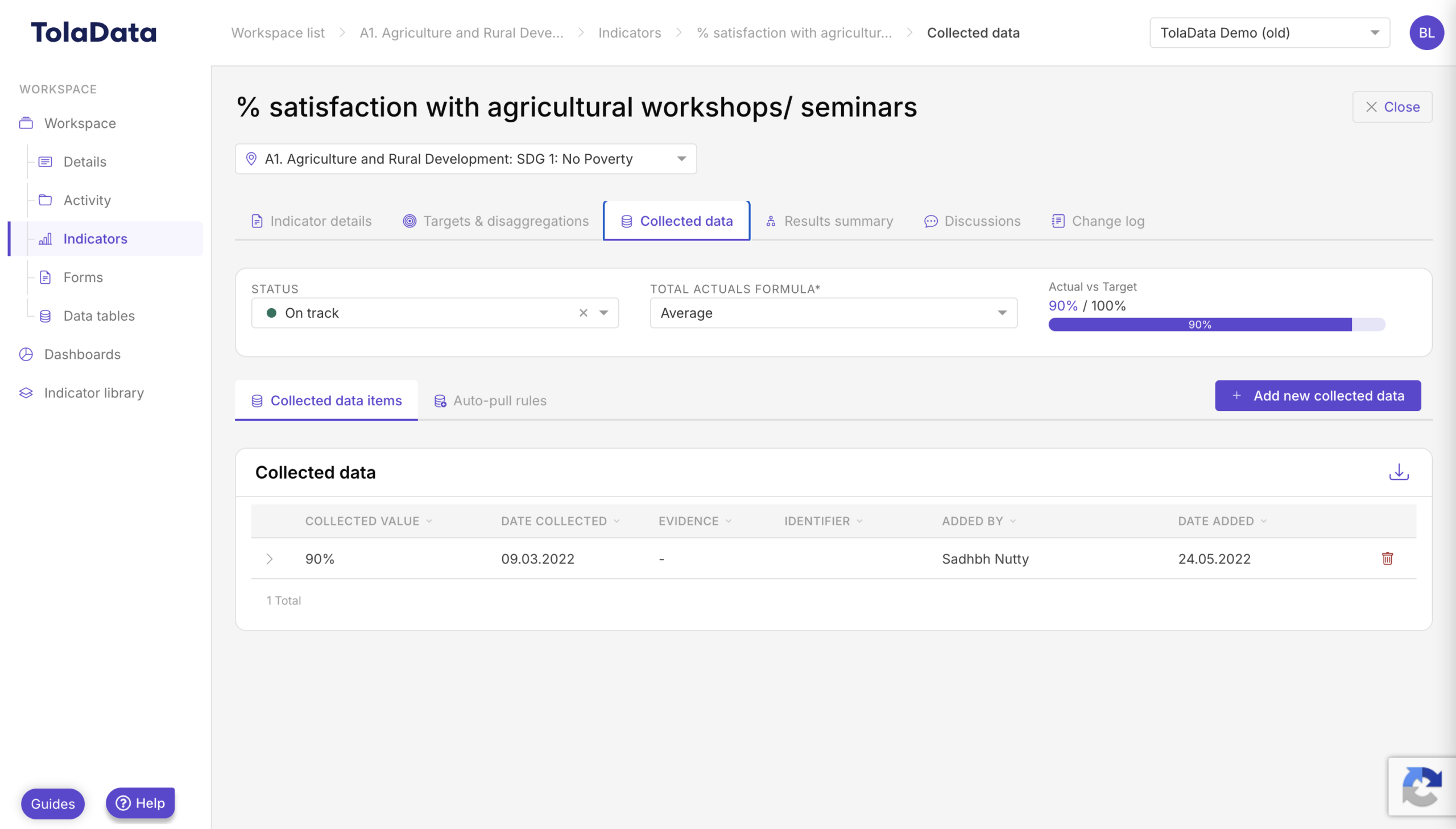

Screenshot – Quantitative Indicators: Calculate your total percentage indicator result as an average or median of your collected data till date…