Knowledge Base

⌘K
  1. Home
  2. Docs
  3. Knowledge Base
  4. The Indicator Section
  5. Qualitative Indicators

Qualitative Indicators

Track Qualitative data in TolaData’s indicators section by selecting ‘Qualitative only’ in the indicator format dropdown.
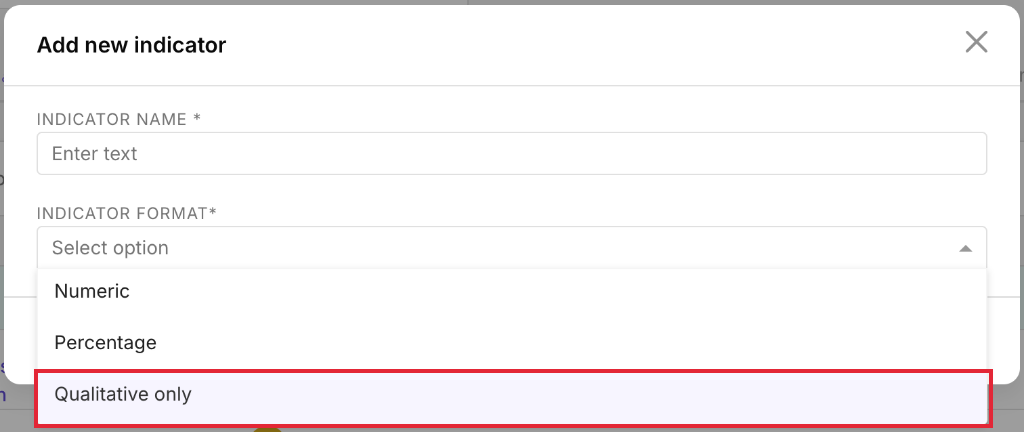
Screenshot – Qualitative Indicators: Track Qualitative data in TolaData's indicators section by selecting 'Qualitative only' in the indicator…

Qualitative indicators track the status of achieving the goal of your indicator.

Screenshot – Qualitative Indicators: Qualitative indicators track the status of achieving the goal of your indicator

In the collected data section of the indicator, the status of the indicator can be updated to mark its progress. 
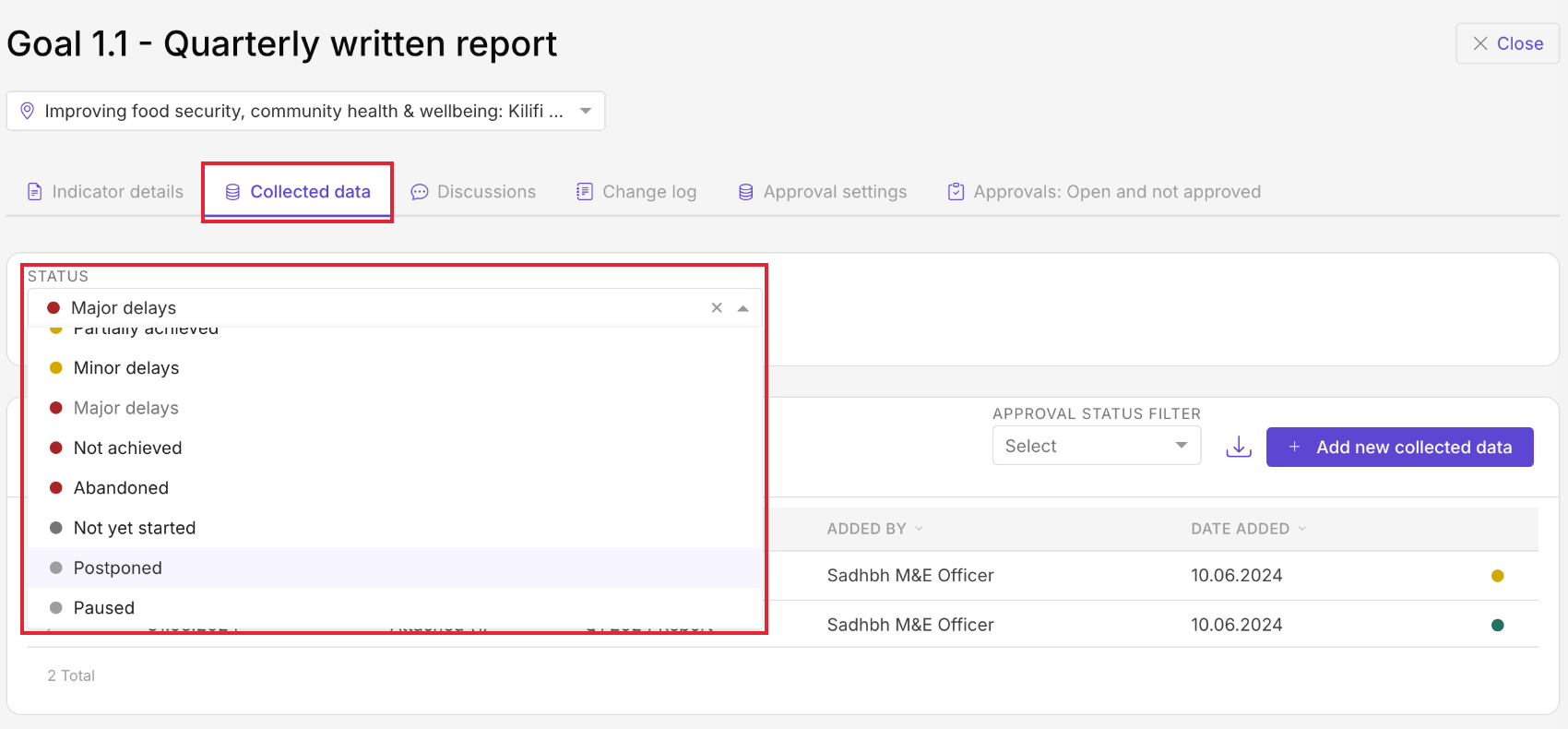
Screenshot – Qualitative Indicators: In the collected data section of the indicator, the status of the indicator can be updated to mark its…

Evidence supporting the qualitative indicator can be linked below the status. 
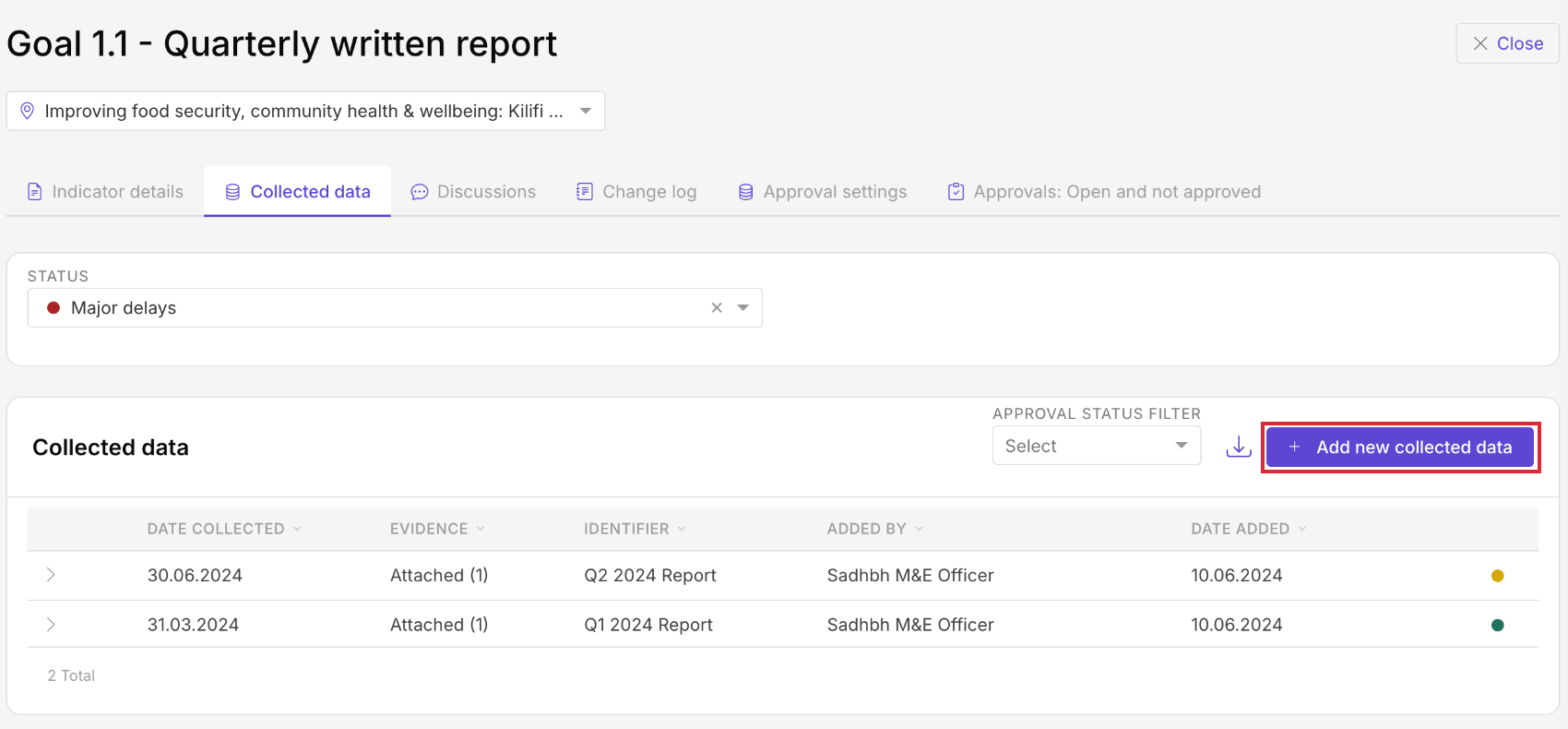
Screenshot – Qualitative Indicators: Evidence supporting the qualitative indicator can be linked below the status

For every format, you can add narrative updates, upload images, and upload or link relevant documents (from your device, a cloud file service or a URL) in the collected data section. Qualitative only indicators have no targets or numeric results.
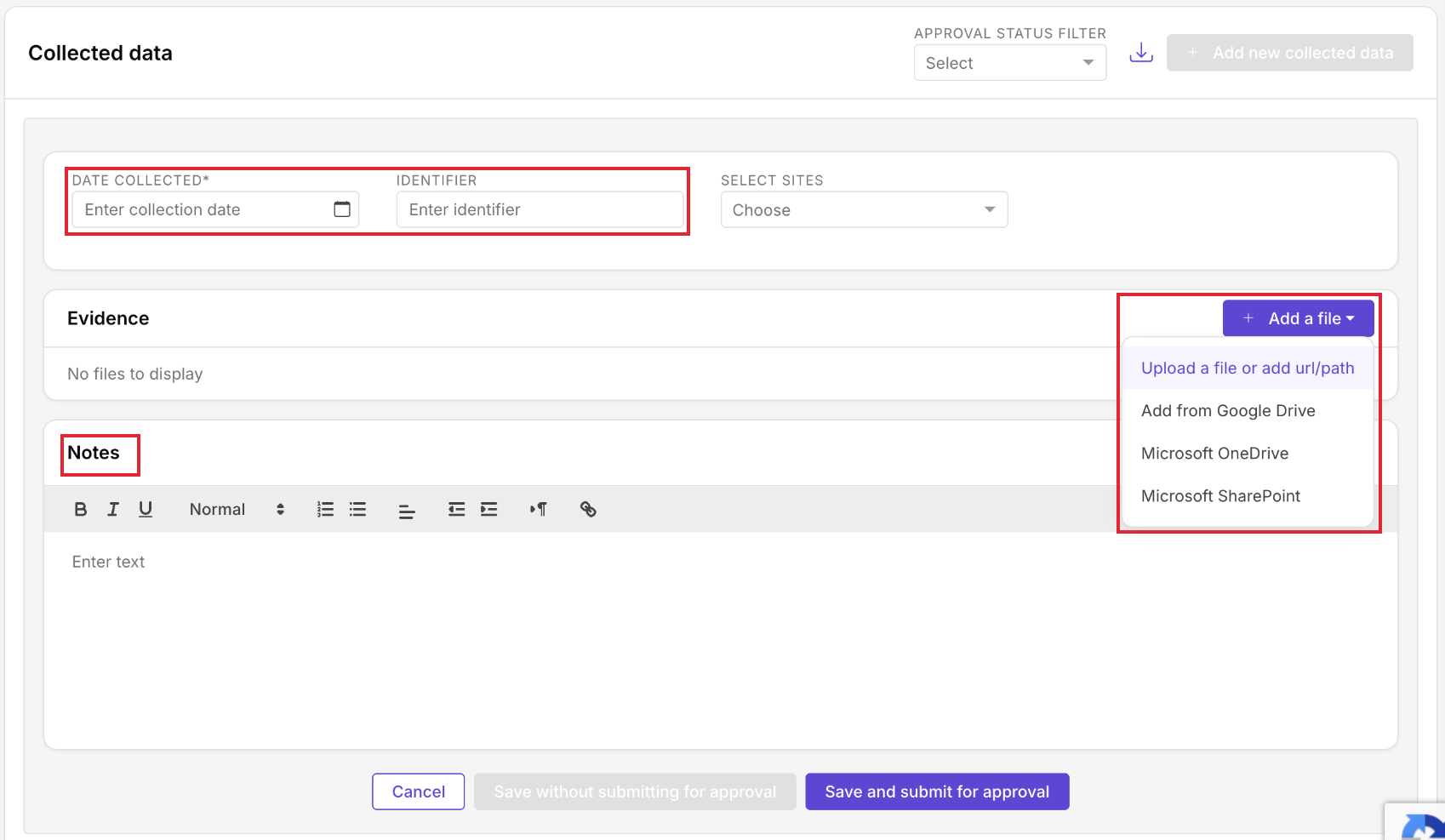

Screenshot – Qualitative Indicators: Qualitative only indicators have no targets or numeric results