TolaData is built around the workspace. Each workspace has its own results framework, indicator plan and activity plan.
What a workspace can be
A workspace can represent a country package, a project or a programme component. Its default name in the navigation is set by your organisation’s first workflow level, which is “Workspace” unless your Org Admin has renamed it.
How workspaces fit together
- Results can be monitored workspace by workspace.
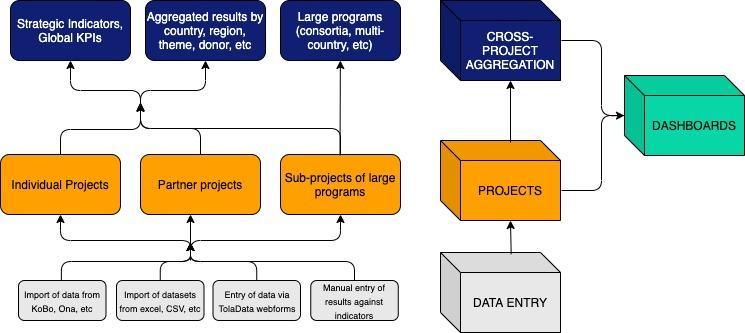
- Results can also be aggregated across indicators and workspaces, for example from workspace to country to programme to organisation level.
- Workspaces can be grouped to reflect your programmes, portfolios and organisation structure.
Where data comes from
Data can be entered manually or imported from any machine-readable source and linked to an indicator to calculate results. This means TolaData fits into your existing M&E data collection processes.
Watch a short platform overview: TolaData overview video